MSS PRIME IPTV
Get Free Test
Get Free Test →
All Servers Operational — 99.9% Uptime

MSS PRIME IPTV

Pakistan's most reliable premium IPTV service — 10,000+ HD & 4K live channels, sports, movies, and TV shows. Zero buffering. Zero freezing.

🎁 Get Free 24-Hr Test
🎬
Free 24-Hour Test Line — No Payment Required
Try any package completely free before you commit. Contact us on WhatsApp to activate instantly.
Claim Free Test
8,500+
Active Users
10,000+
Live Channels
45+
Countries Served
99.9%
Server Uptime
24/7
Support Available
Secure Payments
Instant Activation
24/7 WhatsApp Support
7-Day Refund Guarantee
HD & 4K Quality
Free Trial — No Risk
Packages & Pricing

IPTV Plans for Every Budget

All plans include a free 24-hour test. No contracts. Instant activation.

Filex IPTV

Speed: 3–5 MB
1 MonthRs. 180
3 MonthsRs. 500
6 MonthsRs. 899
12 MonthsRs. 1,599
Buy Now

Rolex IPTV

Speed: 3–5 MB
1 MonthRs. 199
3 MonthsRs. 550
6 MonthsRs. 999
12 MonthsRs. 1,799
Buy Now

Opplex IPTV

Speed: 5–15 MB
1 MonthRs. 250
3 MonthsRs. 650
6 MonthsRs. 1,100
12 MonthsRs. 1,999
Buy Now

Starshare IPTV

Speed: 15–25 MB
1 MonthRs. 400
3 MonthsRs. 1,050
6 MonthsRs. 1,899
12 MonthsRs. 3,499
Buy Now

B1G IPTV

UK Based
1 MonthRs. 400
3 MonthsRs. 1,050
6 MonthsRs. 2,100
12 MonthsRs. 3,900
Buy Now
Elite UHD

Zum IPTV

Premium 4K
1 MonthRs. 500
3 MonthsRs. 1,350
6 MonthsRs. 2,400
12 MonthsRs. 4,200
Buy Now

Not sure which plan to choose? Ask us on WhatsApp — we'll recommend the best fit for your needs.

What You'll Watch

10,000+ Channels at Your Fingertips

Live sports, blockbuster movies, TV series, and international news — all in HD & 4K

⚽
Live Sports
PSL, Premier League, Champions League, IPL, UFC & more
🎬
Movies
Hollywood, Bollywood, Lollywood in HD & 4K
📺
TV Channels
ARY, Geo, Hum TV, Ptv, BBC, CNN, Sky and 10,000+ more
🎭
TV Series
Netflix originals, HBO, Amazon Prime & Turkish dramas
Customer Reviews

Trusted by 8,500+ Subscribers Worldwide

Real feedback from our users across Pakistan, UK, and Canada

★★★★★

"The best IPTV service I've used. Zero lag on UK sports channels during live football. Absolutely brilliant — strongly recommended!"

JD
James D.
United Kingdom
★★★★★

"M3U loaded in seconds on my Firestick. The Zum 4K stream is crystal clear. Setup was incredibly easy with step-by-step WhatsApp support."

MA
Muhammad A.
Lahore, Pakistan
★★★★★

"Got my test line in 5 minutes on WhatsApp — bought the 12-month plan the same night. Best value IPTV I've found anywhere."

SL
Sarah L.
Toronto, Canada

Reviews collected from customers via WhatsApp. Individual results may vary based on internet connection quality.

Start Your Free Test Today
IPTV Guides & News

Learn More About IPTV

Expert guides, setup tutorials, and tips for the best streaming experience

🇵🇰
Guide

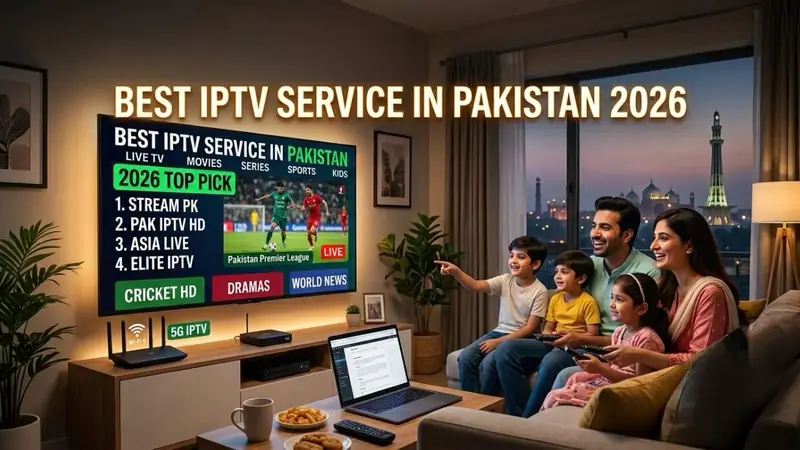
Best IPTV Service in Pakistan 2026

A complete comparison of the top IPTV providers available in Pakistan — pricing, quality, and reliability.

June 20265 min read
🔥
Tutorial

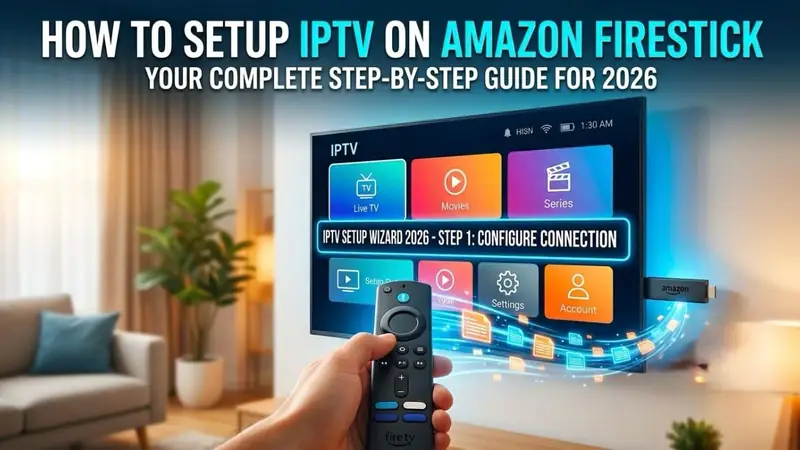
How to Setup IPTV on Amazon Firestick

Step-by-step guide to install and configure IPTV on your Amazon Fire TV Stick in under 10 minutes.

June 20267 min read
📺
Tutorial

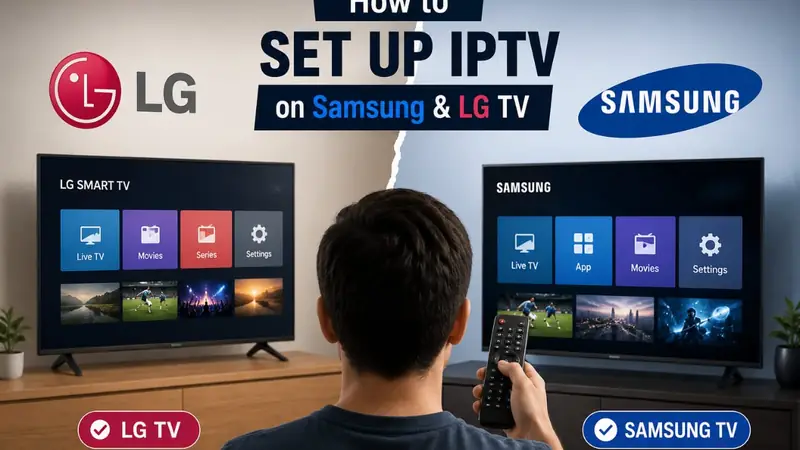
IPTV Setup Guide for Samsung & LG Smart TV

How to get IPTV running on your Samsung or LG Smart TV using the best available apps.

June 20266 min read
⚖️
Comparison

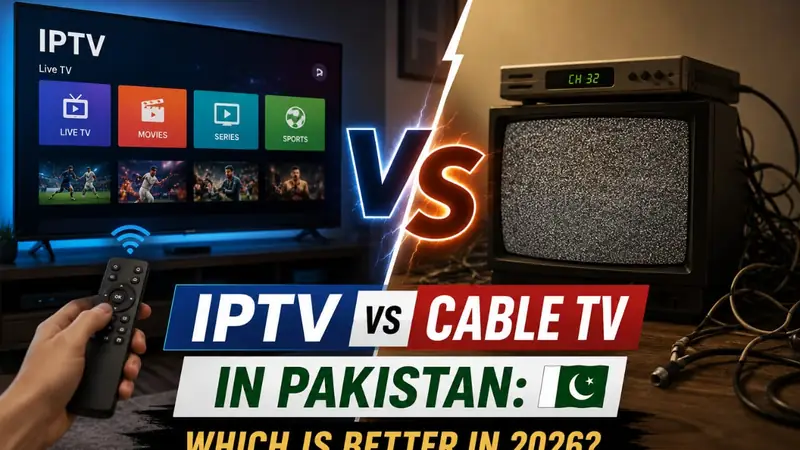
IPTV vs Cable TV: Which is Better in 2026?

An honest breakdown of cost, channel availability, quality, and flexibility between IPTV and traditional cable.

June 20266 min read
⚽
Sports

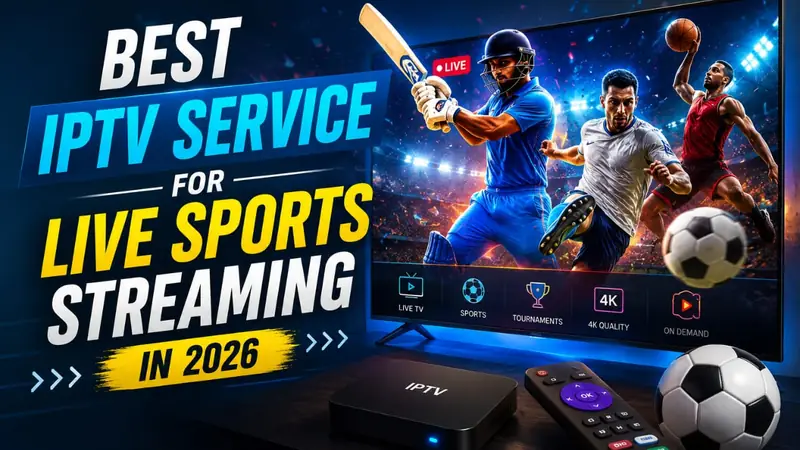
Best IPTV for Live Sports Streaming 2026

Which IPTV packages give you the best sports coverage — PSL, Premier League, IPL, Formula 1 and more.

June 20265 min read
🔧
Support

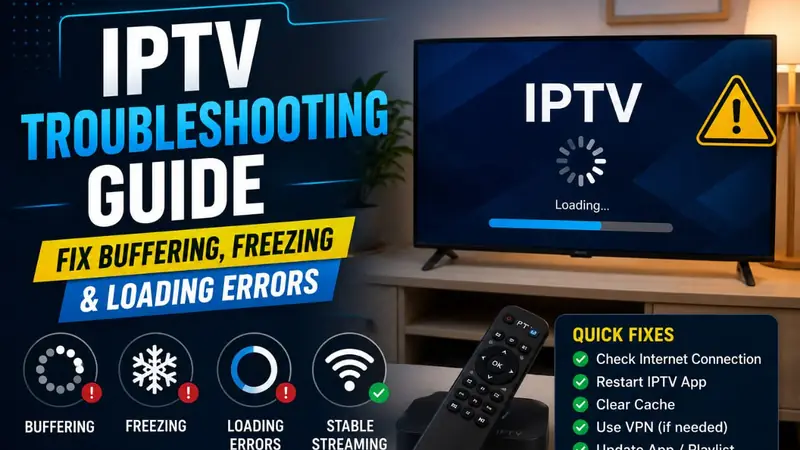
IPTV Troubleshooting: Fix Buffering & Freezing

The complete guide to diagnosing and fixing the most common IPTV problems — buffering, freezing, and loading errors.

June 20268 min read
› Supported Devices
Multi-Device Compatibility

Supported Devices & Apps

Our IPTV streams work on virtually all modern devices. If it connects to the internet and plays video, chances are it works with MSS Prime IPTV.

Amazon Firestick & Android TV
Works on Amazon Fire TV Stick (all generations), Android TV Boxes, Nvidia Shield, and Mi Box S using IPTV Smarters or TiviMate.
iPhone, iPad & Android Phones
Compatible with GSE Smart IPTV, XCIPTV, and OTT Navigator on all iPhones, iPads, and Android smartphones.
Samsung & LG Smart TVs
Works with Smart IPTV, NetIPTV, SET IPTV, and Ibo Player Pro apps found in Samsung Tizen and LG webOS app stores.
Windows, Mac & Linux
Stream on any desktop or laptop using VLC Media Player, IPTV Smarters Pro desktop, or Kodi with the IPTV Simple Client add-on.
MAG & Formuler Boxes
Full support for MAG 254/256/324/410 and Formuler Z8/Z10 Pro set-top boxes with direct Xtream or M3U portal setup.
Apple TV & Chromecast
Works on Apple TV 4K via GSE Smart IPTV. Cast to Chromecast using VLC or the IPTV Smarters app on your phone.
Need Setup Help? Chat Now
› How It Works
Simple 3-Step Process

How to Get Started with MSS Prime IPTV

From choosing a plan to watching your first channel — it takes less than 10 minutes.

1
Choose Your Plan

Browse our 6 IPTV packages and pick the one that fits your internet speed and budget. Not sure? Try the free test first.

2
Contact via WhatsApp

Click "Buy Now" or "Get Free Test" to open a WhatsApp chat directly with our support team. We're available 24/7.

3
Get Activated Instantly

After payment, we send your M3U URL or Xtream API credentials within minutes. Full setup guide included.

📋 What You Receive After Activation

  • Your unique M3U playlist URL
  • Xtream Codes (username + password + portal URL)
  • Step-by-step setup guide for your device
  • Direct support contact for any technical issues
Get Started — Free Test Available
› FAQs
Help Center

Frequently Asked Questions

Everything you need to know about MSS Prime IPTV. Can't find your answer? Ask us on WhatsApp.

For HD channels: a stable 5–10 Mbps connection is recommended. For our premium 4K packages (Zum IPTV), a stable 15–25 Mbps connection ensures the best experience with no buffering. Wired connections (ethernet) always perform better than Wi-Fi for IPTV.
A standard subscription supports one active stream at a time. Running the same account on multiple devices simultaneously may trigger automated security locks. If you need multi-screen access, contact us on WhatsApp for multi-connection pricing.
Yes! We offer a completely free 24-hour test line — no payment or credit card required. This lets you verify stream quality, channel availability, and stability on your own device and internet connection before committing. Contact us on WhatsApp to get your free test activated in minutes.
The main differences are server speed and channel quality: Filex & Rolex (3–5 MB) are great for basic HD streaming. Opplex (5–15 MB) handles heavier HD use. Starshare (15–25 MB) suits high-demand streaming. B1G is a UK-based server ideal for UK content. Zum IPTV is our premium 4K package with the fastest servers and highest picture quality.
Our service is compatible with Amazon Firestick, Android TV Boxes, Samsung & LG Smart TVs, iPhones and iPads, Android smartphones, Windows/Mac/Linux computers, MAG boxes, Formuler devices, Apple TV, and Chromecast. See our for full details.
Most subscriptions are activated within 5–15 minutes of payment confirmation. Our WhatsApp support team is available 24/7 and will send your credentials directly after payment verification.
First, check your internet speed (run a speed test at fast.com). Try restarting your router and device. If the problem continues, contact our WhatsApp support and we'll refresh your server connection or switch you to a backup server immediately. Our anti-freeze technology handles most issues automatically.
We offer refunds within 7 days if our servers experience a persistent technical issue that our team cannot resolve within 48 hours. We strongly encourage all users to take the free 24-hour test first. Refunds are not applicable for issues caused by your own internet connection or device settings. See our full .

Still have a question?

Ask Us on WhatsApp
› Refund Policy
Merchant Guidelines

Refund & Return Policy

We want you to be completely satisfied. Please read this policy before purchasing — and remember, we offer a free 24-hour test so you can verify quality first.

1. Free Trial — Verify Before You Buy

We encourage all customers to request a free 24-hour test line before subscribing to any paid plan. This allows you to check stream quality, buffer stability, and channel availability on your home network and device at zero cost.

2. Refund Eligibility

  • Refunds are valid within 7 days of the subscription start date.
  • Eligible if our servers experience persistent technical issues unresolved by our team within 48 hours.
  • Refunds are not applicable for issues caused by your personal internet speed, device compatibility, or unstable network conditions.
  • The free trial period must be used before requesting a refund on a paid plan.

3. Non-Refundable Situations

Promotional or discounted plans are non-refundable once activated. Active subscriptions older than 7 days cannot be refunded. Plans cancelled due to personal preference after activation are not eligible for a refund.

4. How to Request a Refund

Send a message to our WhatsApp support with your subscription receipt and a description of the issue. All refund requests are reviewed and processed within 3–5 business days.


Contact Billing Support
› Privacy Policy

Privacy Policy

Last updated: June 2026. Your privacy is important to us. This policy explains what data we collect, how we use it, and your rights.

1. Data We Collect

We collect only basic contact metadata — your name, email address, and WhatsApp number — used exclusively for service activation and customer support. We never collect or store payment credentials or financial information.

2. How We Use Your Data

Your data is used only to activate your IPTV subscription, deliver playlist credentials, and provide customer support. We do not sell, rent, lease, or share your details with any third-party marketing organizations or advertisers.

3. Cookies

This website uses minimal browser cookies to save style preferences and improve load performance. No advertising, tracking, or third-party analytics cookies are used.

4. Data Security

All customer data is stored securely and is only accessible to authorized MSS Prime IPTV staff. We do not share data with any third parties.

5. Your Rights

You have the right to request deletion of your personal data at any time. Contact us via WhatsApp and we will process your request within 48 hours.

› Contact Us

Contact Us

Questions, custom line requests, or technical support — we're here 24/7.

Chat Now
WhatsApp Support
+92 334 892 7465
Call Now
Direct Phone Support
+92 334 892 7465
or send us a message
Please enter your name.
Please enter a valid email address.
Please enter a subject.
Please enter your message.

We typically reply within a few hours via WhatsApp or email.

› Blog
IPTV Guides & Tutorials

MSS Prime IPTV Blog

Expert setup guides, comparisons, and tips for the best IPTV experience

🇵🇰
Guide

Best IPTV Service in Pakistan 2026

Complete comparison of Pakistan's top IPTV providers — pricing, quality, and reliability reviewed.

June 20265 min read
🔥
Tutorial

How to Setup IPTV on Amazon Firestick

Step-by-step guide to install and configure IPTV on your Firestick in under 10 minutes.

June 20267 min read
📺
Tutorial

IPTV Setup Guide for Samsung & LG Smart TV

How to get IPTV running on Samsung or LG Smart TV using the best apps.

June 20266 min read
⚖️
Comparison

IPTV vs Cable TV: Which is Better in 2026?

Cost, quality, channels, flexibility — an honest breakdown for Pakistani consumers.

June 20266 min read
⚽
Sports

Best IPTV for Live Sports Streaming 2026

PSL, Premier League, IPL, Formula 1 — which IPTV package gives the best sports coverage.

June 20265 min read
🔧
Support

IPTV Troubleshooting: Fix Buffering & Freezing

Diagnose and fix the most common IPTV problems — buffering, freezing, and loading errors.

June 20268 min read
› › Best IPTV Pakistan 2026
Guide · IPTV Pakistan

Best IPTV Service in Pakistan 2026: Complete Guide

June 13, 2026·5 min read·by MSS Prime IPTV Team

Finding a reliable IPTV service in Pakistan can be challenging. With dozens of providers claiming to offer the best quality, it is hard to know who to trust. This guide breaks down everything you need to know to make the right choice in 2026.

What is IPTV and Why is it Popular in Pakistan?

IPTV (Internet Protocol Television) delivers live TV channels and on-demand content over your internet connection instead of satellite or cable infrastructure. In Pakistan, IPTV has grown enormously in popularity because it offers hundreds of international channels at a fraction of the cost of a cable subscription — often from Rs. 180 per month.

What to Look for in a Pakistani IPTV Provider

1. Server Stability and Uptime

The most important factor. A provider should offer at least 99% uptime. MSS Prime IPTV maintains 99.9% uptime with multiple backup servers to ensure your service never goes down during important matches.

2. Channel Selection

A good Pakistani IPTV service should include local channels (ARY, Geo, Hum TV, PTV), sports (PSL, international cricket, football), Bollywood movies, and international news. Look for providers offering 5,000+ channels minimum.

3. Free Trial Before Buying

Never buy an IPTV subscription without a trial. A legitimate provider will always offer a free test. MSS Prime IPTV offers a completely free 24-hour trial — no payment required.

4. Support Quality

24/7 WhatsApp support is the standard for quality IPTV providers in Pakistan. You need someone available when your stream stops working at midnight before a cricket final.

Why MSS Prime IPTV is the Best Choice in Pakistan

With packages starting from just Rs. 180/month and plans covering speeds from 3 MB to 25 MB+, MSS Prime IPTV caters to every internet connection type. The premium Zum IPTV 4K package delivers true UHD quality for users with fast fiber connections.

Ready to try Pakistan's best IPTV service? Get your free 24-hour test line now — no payment required.

Get Free Test on WhatsApp

Frequently Asked Questions

Is IPTV available in all cities in Pakistan? Yes — IPTV works anywhere you have a stable internet connection, including Karachi, Lahore, Islamabad, Peshawar, and smaller cities.

What internet speed do I need? A minimum of 5 Mbps for HD. 15+ Mbps for 4K streaming.

› › IPTV Setup Firestick
Tutorial · Amazon Firestick

How to Setup IPTV on Amazon Firestick: Step-by-Step Guide 2026

June 13, 2026·7 min read

Setting up IPTV on your Amazon Firestick is easier than you think. This step-by-step guide walks you through the entire process — from enabling unknown apps to loading your first channel list.

What You Need Before Starting

  • An Amazon Firestick (any generation) connected to your TV
  • A stable Wi-Fi connection (minimum 5 Mbps for HD)
  • Your MSS Prime IPTV M3U URL or Xtream Codes credentials
  • The Downloader app (free from the Amazon App Store)

Step 1: Enable Apps from Unknown Sources

On your Firestick, go to Settings → My Fire TV → Developer Options. Turn on Apps from Unknown Sources and ADB Debugging. This allows you to install third-party IPTV apps.

Step 2: Install the Downloader App

Search for "Downloader" in the Amazon App Store and install it. This free app lets you download APK files directly to your Firestick.

Step 3: Install IPTV Smarters Pro

Open Downloader and enter the URL for IPTV Smarters Pro APK. Once downloaded, tap Install then Open. This is the most recommended IPTV player for Firestick users.

Step 4: Enter Your MSS Prime IPTV Credentials

Open IPTV Smarters Pro. Choose "Login with Xtream Codes API". Enter the username, password, and portal URL we sent you on WhatsApp. Tap Add User.

Step 5: Browse and Watch

Your channels will load automatically. You can browse Live TV, Movies, Series, and EPG (Electronic Programme Guide). Enjoy your MSS Prime IPTV subscription!

Need help with setup? Our WhatsApp support team will guide you through the entire process in real time.

Get Setup Help on WhatsApp
› › IPTV Setup Smart TV
Tutorial · Smart TV

IPTV Setup Guide for Samsung & LG Smart TV 2026

June 13, 2026·6 min read

Samsung and LG Smart TVs are among the most popular devices for IPTV in Pakistan. Here's how to set up MSS Prime IPTV on both platforms quickly and easily.

Setup on Samsung Smart TV (Tizen OS)

Method 1: Smart IPTV App

Search for Smart IPTV in the Samsung App Store and install it. Open the app and note your TV's MAC address. On our WhatsApp, send us your MAC address and we'll load your channel list directly. This method requires a one-time app activation fee of a few dollars paid to Smart IPTV directly.

Method 2: SET IPTV

Install SET IPTV from the Samsung App Store (free). Enter your M3U URL in the app settings. Channels load immediately — no MAC address required.

Setup on LG Smart TV (webOS)

Using NetIPTV

Install NetIPTV from the LG Content Store. Go to the Settings section inside NetIPTV and enter your M3U playlist URL. Save and restart the app — all your channels will appear.

Alternative: SS IPTV

SS IPTV is another excellent free app for LG TVs. Install it from the LG Store, go to Sources, add your M3U URL, and your full channel list will load instantly.

Our team provides free setup guidance for all Smart TV models via WhatsApp.

Get Smart TV Setup Help
› › IPTV vs Cable TV
Comparison

IPTV vs Cable TV in Pakistan: Which is Better in 2026?

June 13, 2026·6 min read

Should you switch from cable or satellite TV to IPTV in 2026? Here's an honest, detailed comparison to help you decide.

Cost Comparison

Cable TV in Pakistan typically costs Rs. 500–1,500/month for a limited number of local and regional channels. MSS Prime IPTV starts at just Rs. 180/month and gives you 10,000+ channels worldwide — including HD international sports, movies, and every local Pakistani channel.

Channel Selection

Cable TV is limited to what your local operator carries — usually 100–200 channels. IPTV gives you access to thousands of channels from Pakistan, India, UK, USA, Turkey, Arabic countries, and more, including premium sports channels that cable simply doesn't carry in Pakistan.

Picture Quality

Modern IPTV delivers Full HD (1080p) and even 4K quality on the right package and internet connection. Cable TV quality varies significantly by region and operator infrastructure.

Flexibility

IPTV works on your phone, tablet, Smart TV, laptop, and Firestick. Cable TV is locked to one physical location. With IPTV, you can watch your content anywhere with an internet connection.

Verdict

For most Pakistani households with a stable broadband connection, IPTV is clearly the better value in 2026. You get more channels, better quality, lower price, and the flexibility to watch anywhere.

Try IPTV free for 24 hours and see the difference yourself — no commitment required.

Get Free 24-Hr Test
› › Best IPTV for Sports
Sports · IPTV

Best IPTV Service for Live Sports Streaming in 2026

June 13, 2026·5 min read

For sports fans, IPTV is a game-changer. Get live PSL, Premier League, Champions League, IPL, Formula 1, UFC and more — all without expensive satellite subscriptions.

Sports Coverage at MSS Prime IPTV

Every MSS Prime IPTV package includes comprehensive sports coverage. Here's what you get:

  • Cricket: PCB live coverage, Star Sports, Sky Sports Cricket, Willow TV
  • Football: Sky Sports, BT Sport, beIN Sports, ESPN, Premier League channels
  • PSL: Full coverage of every match in HD
  • Formula 1: Sky Sports F1, F1 TV channels
  • UFC & Boxing: ESPN+, DAZN, PPV events
  • Tennis: Wimbledon, US Open, French Open HD coverage

Best Package for Sports Fans

For heavy sports use, we recommend the Starshare IPTV (15–25 MB) or Zum IPTV 4K packages. These offer the fastest server speeds ensuring zero buffering during live match moments that matter most.

Can I Watch PSL on IPTV?

Yes — PSL matches are available on multiple channels through all our IPTV packages. Watch every ball live in HD quality.

Never miss a match again. Get your free sports IPTV test today.

Test Sports Channels Free
› › IPTV Troubleshooting
Support · Troubleshooting

IPTV Troubleshooting Guide: Fix Buffering, Freezing & Loading Errors

June 13, 2026·8 min read

Experiencing IPTV issues? Before contacting support, try these proven fixes for the most common IPTV problems.

Problem 1: IPTV is Buffering or Freezing

Check Your Internet Speed

Go to fast.com and run a speed test. You need at least 5 Mbps for HD and 15+ Mbps for 4K. If your speed is lower than expected, restart your router.

Use a Wired Connection

Wi-Fi can be unstable. Connecting your Firestick or Smart TV directly to your router via ethernet dramatically improves IPTV stability.

Reduce Network Congestion

If multiple devices are streaming or downloading simultaneously, your IPTV may buffer. Try pausing other heavy internet activities while watching.

Problem 2: Channels Not Loading

First, close and reopen your IPTV app. If that doesn't work, go to your app settings and refresh the channel list. If channels still don't load, your M3U URL may have been updated — contact us on WhatsApp for a fresh link.

Problem 3: Error Message / Authentication Failed

This usually means your subscription has expired or the credentials have changed. Contact our WhatsApp support immediately — we'll verify your account and resolve it within minutes.

Problem 4: Picture Quality is Poor

Check if your IPTV app has a quality setting — some apps default to a lower resolution to save bandwidth. Set it to HD or Auto for the best picture. Also ensure your internet speed is adequate for the quality you want.

When to Contact Support

If you've tried all the above steps and still have issues, contact our 24/7 WhatsApp support. We can refresh your server connection, switch you to a backup server, or send updated credentials instantly.

Having a persistent issue? Our support team resolves 95% of problems within 10 minutes.

Contact Technical Support

404 — Page Not Found

The page you're looking for doesn't exist or has been moved.


MSS Prime IPTV © 2026 — All Rights Reserved
Premium IPTV Service | Pakistan | WhatsApp: +92 334 892 7465
MSS Prime IPTV is an IPTV reseller service. All trademarks, channel names, and service marks are the property of their respective owners. IPTV service is provided for personal use. Users are responsible for compliance with local laws and regulations regarding content consumption. Sitemap  ·  Robots.txt